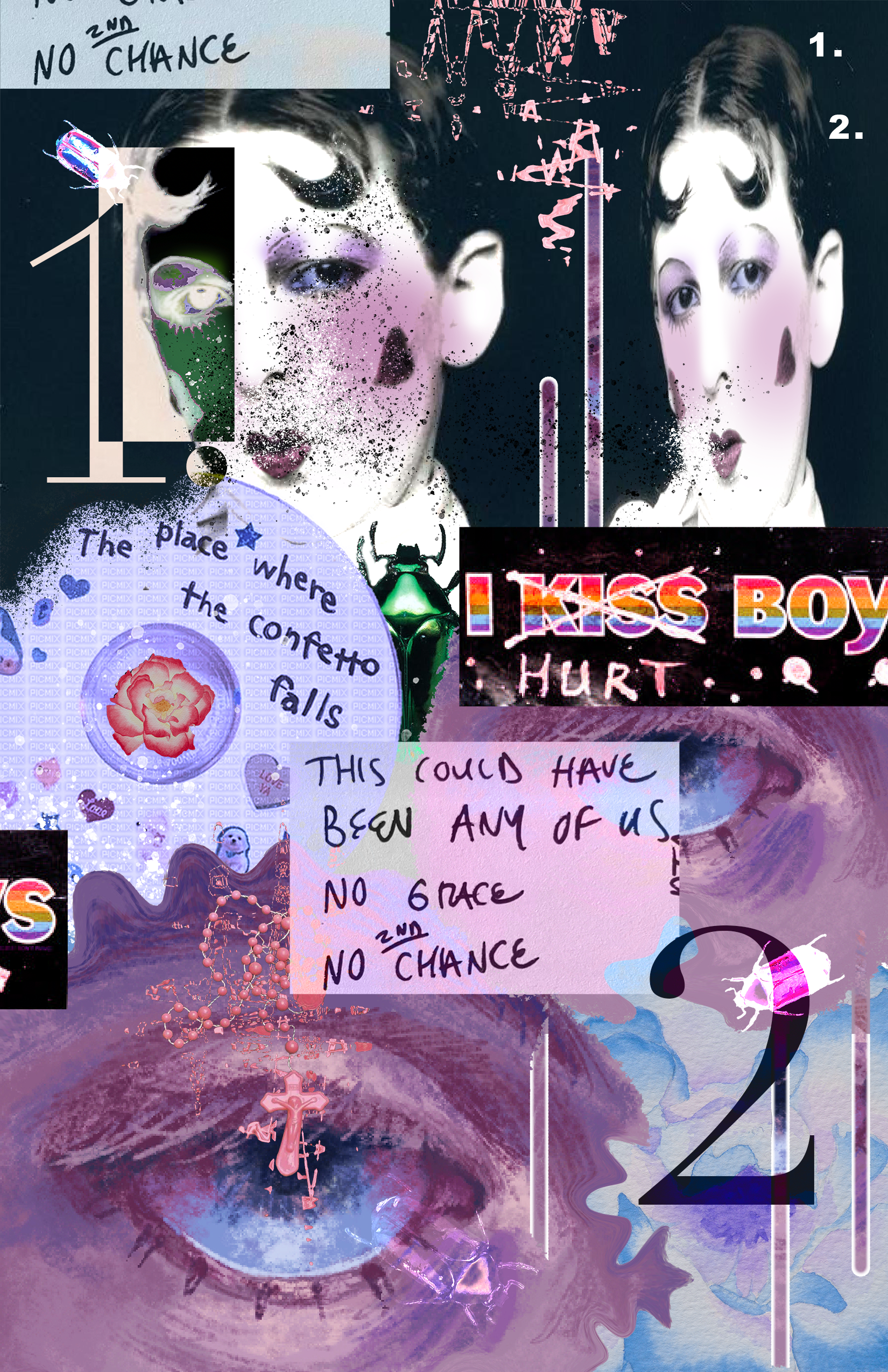
Photomontage
This was one of the first assignments we made in class to practice playing around in Photoshop. I used blending modes like multiply, luminance, and divide, adjusted the colors on images, and tested out liquify and distortion tools. I incorporated images I sourced online as well as my own art.
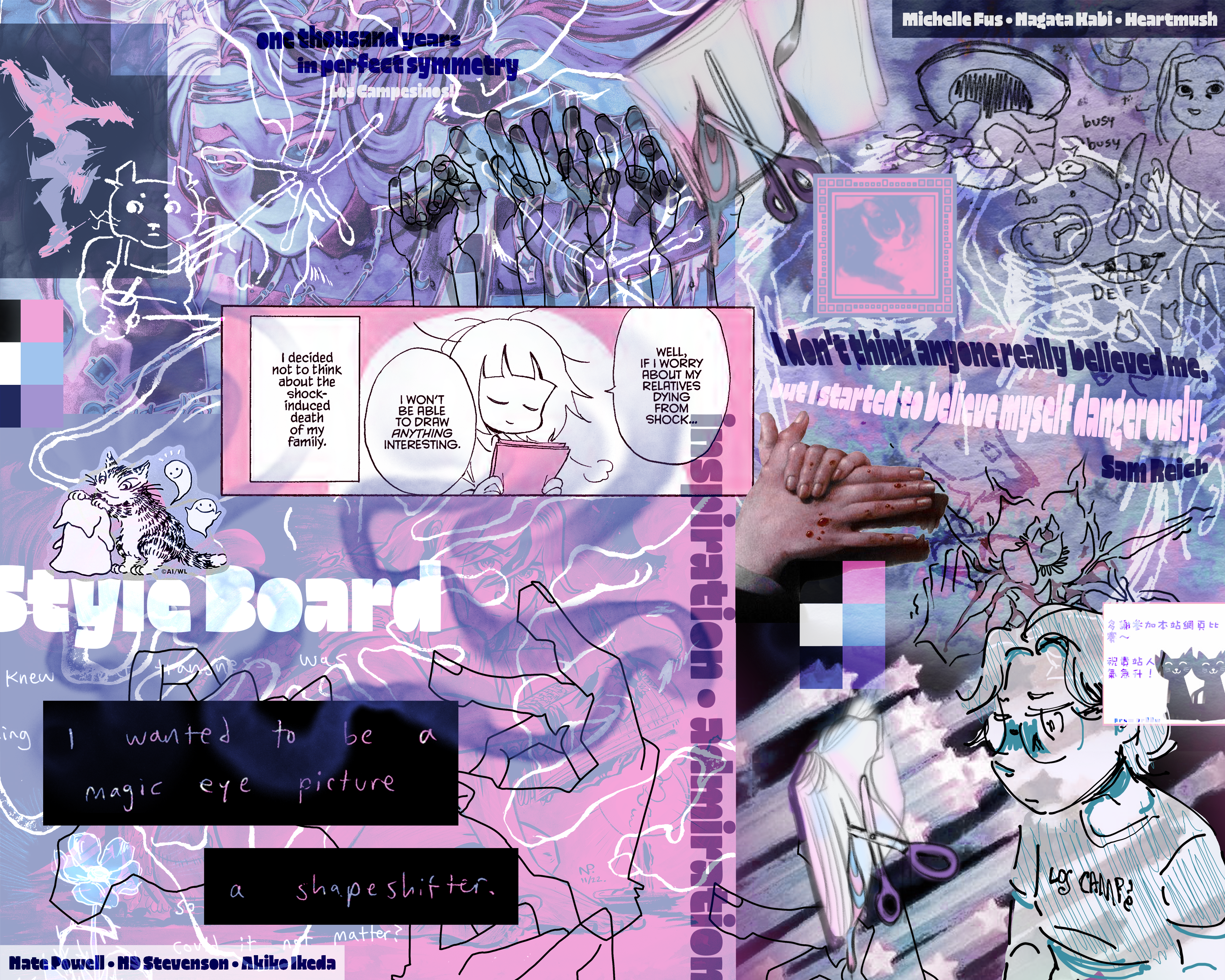
Style Board
This assignment asked us to create a canvas that synthesizes our own work with our greatest inspirations and favorite styles. This allowed us to think about what our own branding or artist identity might look like and consider what the most unique or interesting aspects of our work are. I was really happy with how I was able to layer so many different scraps on top of one another and I think this also helped me understand what colors I’m drawn to the most.

Croissant Logo
Our assignment was to test out how the pen tool in Photoshop functions, which it does oddly dissimilarly from Illustrator. I worked on this logo first in Photoshop and then moved into Illustrator because I find its controls far more advanced and streamlined. I was imagining what an imaginary bakery logo could look like for someone named “Oli” or “Olivia.”
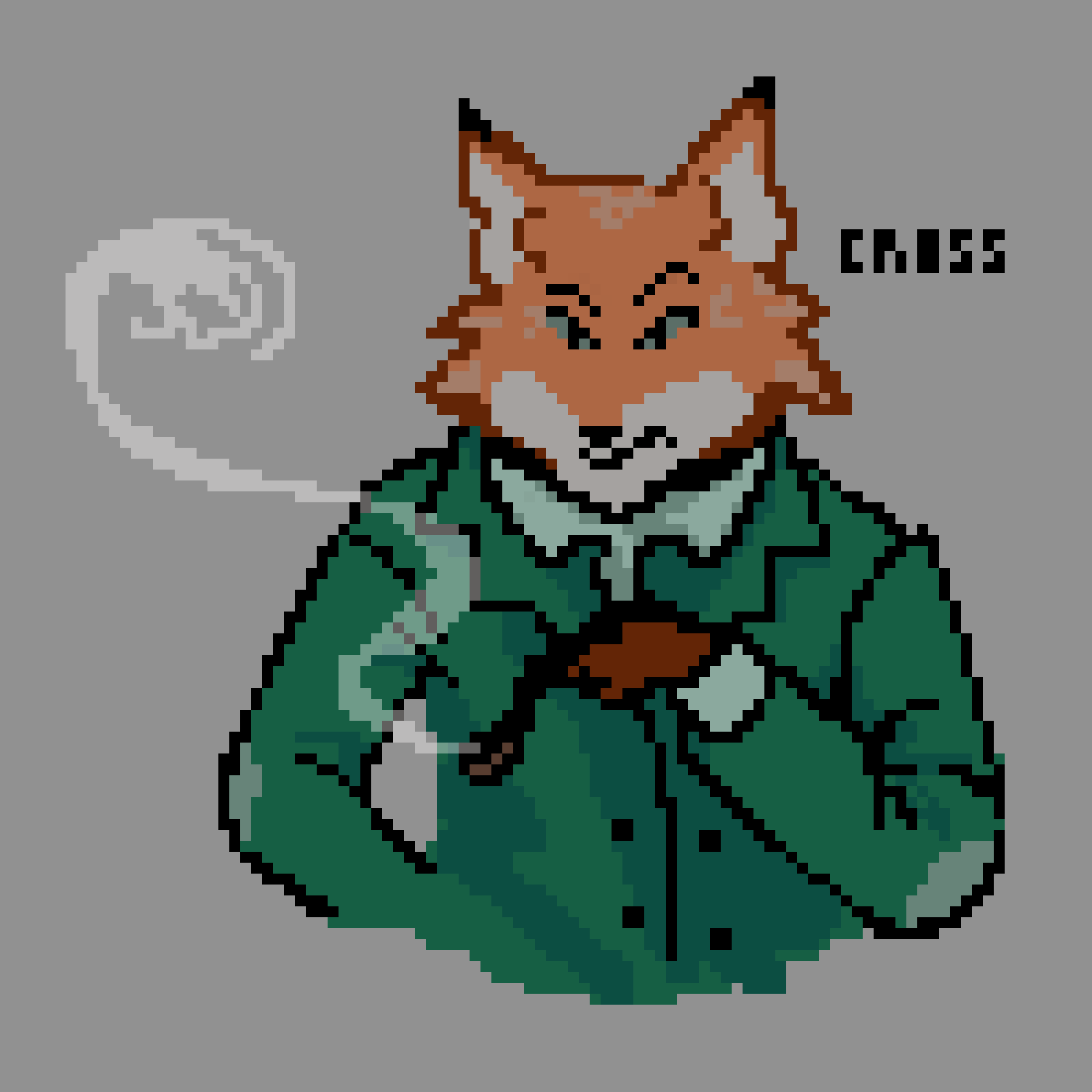
Pixel Art
This piece was a practice in creating and exporting high-quality pixel art in Photoshop. I never knew about the different modes you could use when you export an image and can imagine using the pencil tool again to make more pixel art.

Logo Animation
This was my first take on a personal logo, which I still enjoy the shape of a good deal even though I ended up going with something a bit different. For this project, we were supposed to practice animating in Photoshop using the same pixel art method as the previous piece.
Personal Logo
For this assignment, we were tasked with creating a vector logo for our very own artist brand. I designed a stylized version of my signature “QA” and felt the triangle background added a dynamism to it as well as created a unique silhouette.